Document Assembly Software: Best Platforms Guide
Most teams drafting the same agreement over and over are solving a template problem with copy-paste. Document assembly fixes that by turning answers to a…

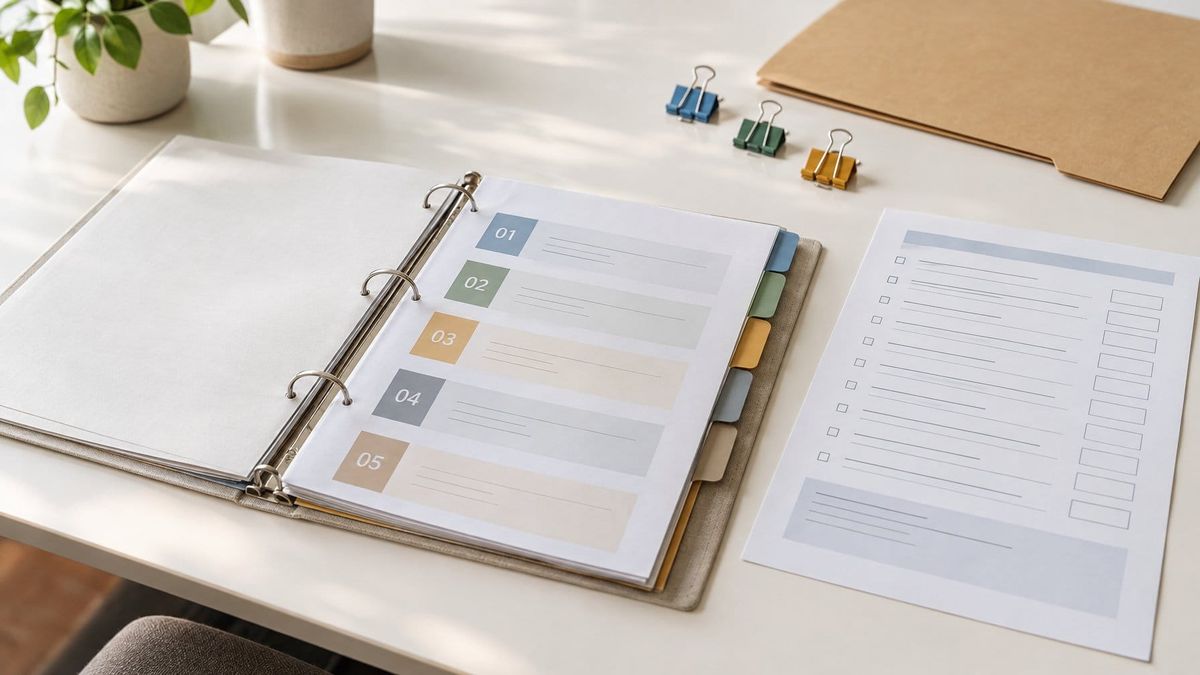
Most teams drafting the same agreement over and over are solving a template problem with copy-paste. Document assembly fixes that by turning answers to a questionnaire, or records already sitting in a CRM, into a finished Word or PDF file with the correct clauses selected by rule.
For enterprise teams that need governed, brand-controlled generation across business units, Templafy is the strongest starting point, because admin-managed clause libraries with version control keep approved language consistent across every template and approval path; Salesforce-heavy revenue teams should shortlist Conga Composer instead, and law firms with deep conditional logic requirements belong on Clio Draft (formerly HotDocs). The category splits cleanly by where the data lives and who owns the templates, which is why one "best tool" answer rarely survives contact with a real workflow.
The financial case is not subtle. The document automation software market was valued at USD 9.06 billion in 2025 and is growing at roughly 15% per year, and enterprises adopting it report 200-400% ROI with most recovering costs within three to six months.
Template quality is the part buyers underestimate. A survey of more than 2,000 full-time employees found that 62% said their team wastes time recreating content that likely already exists somewhere in their organization, and 94% still see errors in content after it has been reviewed and approved.
Key Takeaways
- Assembly pays off when documents are high-volume, rule-driven, and repeatedly rebuilt from the same clauses.
- Evaluate who can maintain conditional logic, how clause versions are controlled, and whether integrations reach your CRM and e-sign step.
- Match the category to the workflow: enterprise governance, CRM-native generation, vertical legal and insurance depth, or open-source builds.
How Template-Driven Assembly Works and When It Fits
Template-driven assembly replaces manual drafting with a rules engine: a template holds fixed content and placeholders, structured inputs supply the variables, and conditional logic decides which clauses appear. The result is a consistent document produced in minutes, with the same output whether a senior associate or a first-week hire runs it.
The fit is strongest for documents that repeat with predictable variation, such as engagement letters, leases, NDAs, and proposals.
From Structured Inputs to Finished Word and PDF Files
Generation starts with data. Templates contain fixed elements like logos and standard language alongside variables for names, dates, figures, and images, and that data arrives either through manual input from a user or automated input from an integrated database or application.
Merge fields map each input to a position in the Microsoft Word template. Conditional rules then handle calculations, formatting changes, and text that appears only under certain conditions.
Most platforms output DOCX for negotiation and PDF for execution. Where documents move straight to signature, the engine passes the PDF to an e-sign step with the signer fields already positioned.
When Assembly Beats Free-Form Documents and Basic Mail Merge
Mail merge swaps one value for another. Assembly decides whether a section exists at all, which is the line that separates a personalized letter from a jurisdiction-specific pleading or a tiered proposal.
Three signals point toward assembly:
- The same document type ships more than a few dozen times a month.
- Content varies by rule (state, deal size, entity type, product SKU) rather than by name and date.
- A wrong clause carries legal, financial, or regulatory consequence.
Free-form drafting stays appropriate for genuinely bespoke work, where the drafting judgment is the deliverable.
Workflows That Benefit Most From Repeatable Rules
High-volume, rule-heavy paperwork returns the most. Law firms automate contracts, memos, and legal forms; finance teams generate loan agreements, audit reports, and financial statements; HR handles offer letters and onboarding packets; real estate teams produce lease and purchase agreements that must flex by state law.
Healthcare providers use assembly for patient forms and consent documents, and government agencies apply it to licensing, permits, and compliance filings. One leading consultancy reported a 92% reduction in time spent creating new proposals after adopting assembly tooling.
What Buyers Should Evaluate Before Choosing a Platform
Evaluation should center on maintenance rather than demo-day output, because every assembly project eventually becomes a template governance project. The questions that predict success are who can edit logic without a developer, how clause versions are controlled, whether the platform reaches your data and signing systems, and what evidence exists for security and compliance.
Can the Team Maintain Conditional Logic as Exceptions Grow?
The team that owns pricing and policy changes needs to own the template. A no-code template editor with role permissions keeps ops unblocked; a setup where only a developer or IT admin can update a template turns every pricing-tier change into a ticket.
Ask vendors to build one nested conditional rule live during the demo, using a real exception from your own contract set. Watch how many screens it takes.
Guided interviews help here. When the logic is expressed as questions an intake user answers, exceptions become new branches instead of new templates.
How Do Clause Libraries, Version Control, and Permissions Prevent Drift?
Drift happens when five approved versions of the same indemnity clause circulate in five folders. A reusable approved clause library with section locking, so legal can freeze language reps cannot edit, is what stops that, and its absence means every rep builds from scratch.
Version control matters at the clause level as much as the document level. When a clause is revised, the platform should show which templates inherit the change and which documents were generated under the prior wording.
Permissions should map to real roles: authors, approvers, generators, and read-only reviewers.
Which Integrations Matter for Your Data, Approval, and Signing Workflow?
The integrations that count are the ones holding your variable data. Native connectors to Salesforce or HubSpot with field mapping that requires no code beat CSV-only imports and setups with no webhook or API access.
Check three handoffs specifically:
| Handoff | What good looks like |
|---|---|
| Data in | Native CRM, matter, or ERP connector with live field mapping |
| Approval | Multi-stage routing with roles, parallel or sequential paths, audit record |
| Document out | Automatic push of completed files to CRM, Google Drive, or SharePoint |
Storage models vary. Some platforms keep signed documents internally, so confirm the export path before signing a contract.
How Should You Test Output Quality, Security, and Compliance?
Run a pilot on your five highest-volume document types and diff the generated output against manually drafted versions. Formatting failures cluster in tables, numbered clause schemes, and cross-references, which is where proprietary editors tend to break Word styling.
SOC 2 Type II and GDPR compliance are table stakes for any tool handling contracts, and buyers should request the audit report rather than accept a checkbox on a marketing page. Audit logs restricted to enterprise contracts are worth flagging early.
Teams comparing security frameworks during diligence will find the distinctions between ISO 27001 and NIST CSF useful before they ask vendors for evidence.
Which Platform Category Matches Your Team’s Workflow?
Four categories cover almost every buying situation: enterprise suites built for governance, mid-market tools wired into CRM and forms, vertical specialists carrying jurisdiction-specific content, and open-source or API-first engines for teams with developers. Pricing models diverge sharply between them, and so does time to first working template.
Enterprise CLM and Assembly Suites for Governed Agreement Work
These platforms exist to make thousands of authors produce the same document. Templafy pairs assembly with brand control, content distribution, and generative AI features, and fits enterprises standardizing creation across business units.
DocuSign Gen and CLM suit compliance-heavy organizations that need contract lifecycle coverage past generation. ActiveDocs targets enterprise scale, connecting to CRM, matter management, ERP, or SharePoint via API and generating thousands of legal documents per cycle across multiple jurisdictions.
Mid-Market Tools for CRM, Forms, and Proposal Workflows
CRM-native generation is the differentiator here. Conga Composer serves Salesforce-native teams producing high-volume documents from CRM data, where field mapping is built in.
Formstack Documents suits teams whose inputs arrive through web forms, and proposal platforms like PandaDoc fold quotes, contracts, and built-in e-sign into one send. Windward Core appeals to teams that want template authoring in Word with a reporting-grade output engine behind it.
Expect entry-level per-seat plans in the $25 to $50 per month range for core features, rising to $75 to $150 per seat at professional tiers with analytics, content libraries, and approval workflows.
Vertical Specialists for Legal, Insurance, and Healthcare
Vertical tools ship with the domain logic already built. Clio Draft, the product line that absorbed HotDocs, targets law firms and legal departments with complex conditional logic requirements, and pairs with Clio's matter records so party details flow into pleadings and wills without re-entry.
Gavel focuses on guided interviews and client-facing intake for smaller firms. Pathagoras works inside Word for practitioners who want clause-bank assembly without leaving the authoring surface, and Legito combines templates with workflow for in-house teams.
Insurance, wholesale and manufacturing, healthcare, and property management are the sectors Quadient identifies as benefiting most from automation beyond legal.
Open-Source and API-First Options for Technical Teams
Docassemble is the credible open-source engine, and the ecosystem around it is substantial. The Document Assembly Line at Suffolk University Law School's Legal Innovation and Technology Lab gathered more than 200 volunteers to make docassemble easier to use, releasing the ALWeaver tool that converts marked-up PDF and DOCX court forms into production-ready interviews.
All of that code is available free on GitHub under the MIT license, and courts and organizations adopt it specifically to avoid vendor lock-in. Ecrion and similar API-first engines serve product teams embedding generation inside their own applications.
How to Estimate Total Cost and Time to Value
Model cost at projected volume, not at list price. Per-document and credit-based pricing looks cheap at low volume and compounds fast; per-seat pricing stays predictable for sales teams but charges for occasional users.
Cost drivers that surface after signature include e-signature sold as an add-on, which several mid-market tools price separately and can add 40% to 60% to the stated price. Advanced CRM connectors gated to higher tiers, SSO and SAML behind an enterprise paywall, implementation fees, and API access restricted to custom contracts all belong in the model.
Ask for a total cost of ownership estimate at your year-one and year-two volumes. StackRundown's coverage of hidden costs in AI and SaaS platforms tracks the same pattern across categories.
Time to value tracks template complexity. A single proposal template with a dozen merge fields can ship in days; a litigation template set with nested jurisdiction rules takes a quarter.
Match the Platform to the Workflow You Need to Control
Document assembly software earns its keep where the same documents ship repeatedly under rules someone else wrote. Templafy anchors governed enterprise work, Conga Composer handles Salesforce-driven generation, Clio Draft carries the heaviest conditional logic for legal teams, and docassemble gives technical teams a free engine with no lock-in.
Before committing, confirm that the people who own policy changes can edit templates themselves, that clause libraries carry version control and locking, and that the platform pushes finished files back to the system your team already works in. Run five real document types through a pilot, request the SOC 2 Type II report, and price the e-sign and SSO line items separately from the seat cost.
Frequently Asked Questions
What is document assembly software?
Document assembly software combines data and text to create customized documents from predefined templates, clauses, and content components. It applies rules and data inputs to decide which language appears, then outputs a finished DOCX or PDF file with formatting and required clauses in place.
What is the difference between document assembly and document management software?
Assembly creates documents; document management stores, indexes, and controls them after creation. The two integrate closely, and assembly platforms are frequently deployed alongside existing document management systems or workflow tools that supply the data and hold the output.
When is document assembly better than mail merge?
Assembly wins when content varies by rule instead of by value. Mail merge substitutes names and dates into fixed text, while assembly uses conditional logic to include, exclude, or reorder whole clauses based on jurisdiction, deal type, entity structure, or product selection.
What is the best document assembly software for legal, sales, or operations teams?
Legal teams with complex conditional requirements are best served by Clio Draft, the successor to HotDocs. Sales teams generating from Salesforce data should evaluate Conga Composer, and operations teams standardizing documents across business units with brand control get the closest fit from Templafy.
Is there free or open-source document assembly software?
Yes. Docassemble is open source, and the Document Assembly Line toolset built around it, including the ALWeaver form-conversion tool, is published on GitHub under the MIT license with no license cost. Hosting, template building, and maintenance still require budget or in-house technical capacity.
How long does it take to implement a document assembly platform?
Simple template sets go live in days, while complex conditional libraries take weeks to months. Most organizations adopting document automation recover their costs within three to six months, so front-load the templates carrying the highest volume rather than automating everything at once.