Asana vs ClickUp for Remote Team Workflows
Speed vs control for remote workflows: faster rollout yields clear handoffs; longer setup unlocks deeper customization and app consolidation.

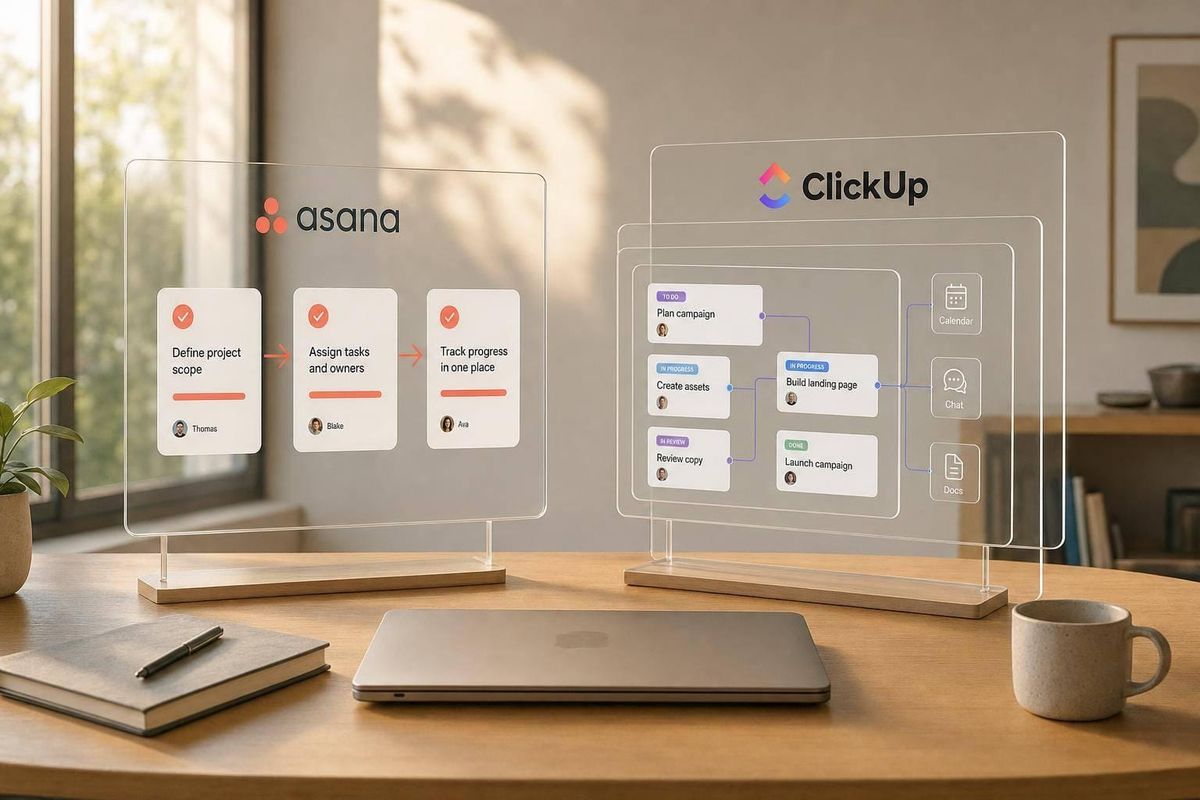
If you want fast setup and clear day-to-day task flow, I’d pick Asana. If you want more control, more built-in tools, and lower starting cost, I’d pick ClickUp.
Here’s the short answer:
- Asana fits teams that want simple rollout, clear ownership, and easy approvals
- ClickUp fits teams that want tasks, docs, chat, whiteboards, and more in one place
- Asana Starter costs $10.99/user/month billed annually
- ClickUp Unlimited costs $7/user/month billed annually
- ClickUp Business costs $12/user/month
- Asana offers 300+ integrations
- ClickUp includes a free plan with unlimited tasks and members
- ClickUp Brain adds $9/user/month
What I see in this comparison is simple: Asana saves setup time. ClickUp can save app costs. For remote teams, that trade-off often matters more than the sticker price.
Best fit at a glance:
- Choose Asana if your team wants the fastest path to clean handoffs
- Choose ClickUp if your team wants deeper workflow control
- Choose Asana if simple onboarding matters most
- Choose ClickUp if one person can own setup and admin
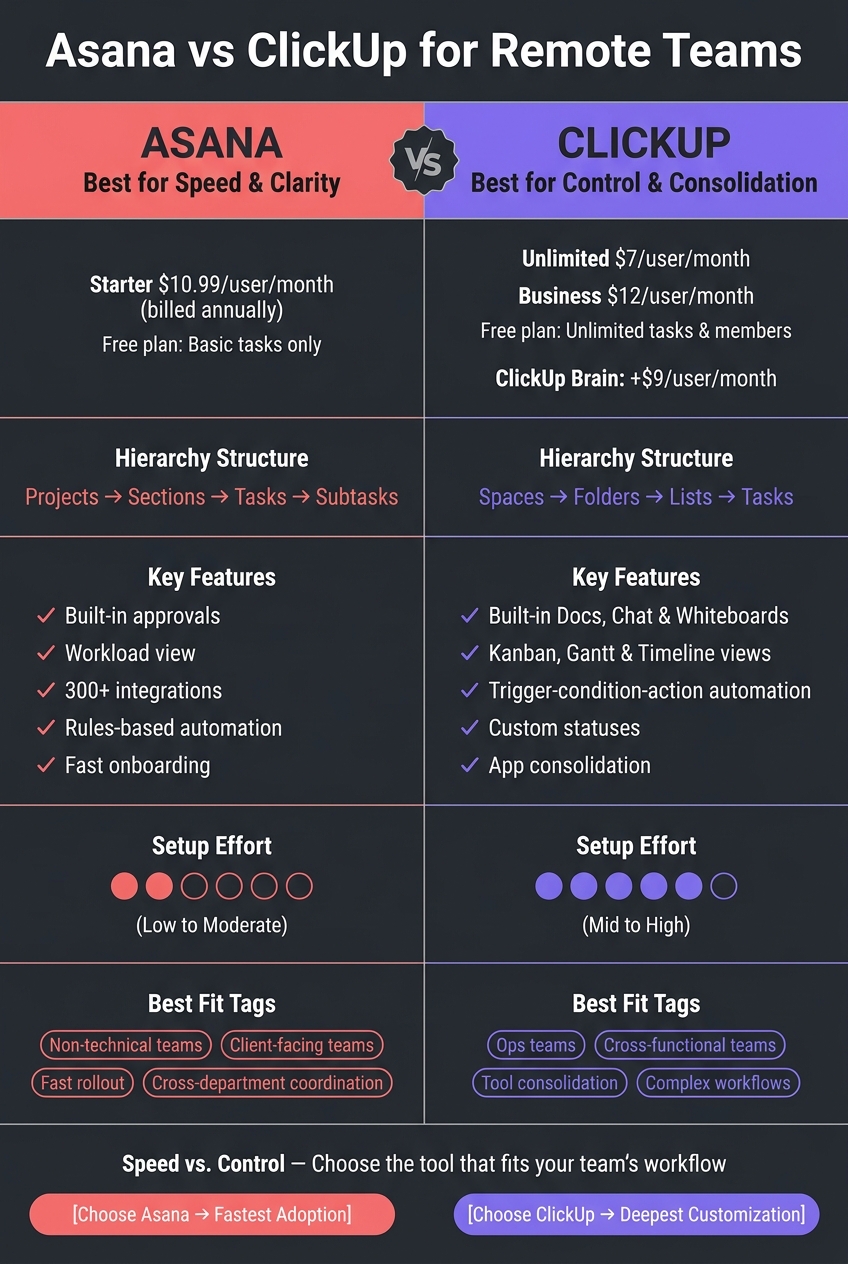
Asana vs ClickUp for Remote Teams: Side-by-Side Comparison
Why Asana wins over ClickUp
sbb-itb-fd683fe
Quick Comparison
| Criteria | Asana | ClickUp |
|---|---|---|
| Best for | Fast rollout and clear workflows | Deep setup and tool consolidation |
| Structure | Projects > Sections > Tasks > Subtasks | Spaces > Folders > Lists > Tasks |
| Setup effort | Low to mid | Mid to high |
| Approvals | Built in | Done with custom statuses |
| Automation | Rules-based | Trigger-condition-action |
| Views | List, Board, Calendar, Timeline, Workload | Kanban, Gantt, Timeline, and more |
| Integrations | 300+ | More focus on built-in tools |
| Starting paid price | $10.99/user/month | $7/user/month |
| Free plan | Basic tasks | Unlimited tasks and members |
If you’re comparing them for remote work, I’d frame it this way: Asana is easier to start, while ClickUp gives you more to shape over time.
Core Setup and Daily Workflow Model
How a tool sets up work changes day-to-day teamwork in a big way. It affects handoffs, visibility, and how fast remote teams can move. Asana and ClickUp go in different directions here, and that choice shapes onboarding speed and how easily a distributed team can see who owns what.
Asana: Simpler Structure for Predictable Remote Workflows
For remote teams, structure isn't just a nice extra. It has a direct effect on speed, ownership, and handoffs.
Asana uses a flat hierarchy: Projects > Sections > Tasks > Subtasks. That simple setup makes work easy to follow and helps teams keep the same structure across projects.
New teammates can usually get the hang of it fast. That makes Asana a good fit when you want clear ownership without a lot of setup work. Asana’s Workflow Builder and custom Rules also help automate task assignments and status updates, which cuts down on manual busywork.
ClickUp goes the other way. It asks for more setup upfront, but gives teams more room to shape workflows once everything is in place.
ClickUp: Deeper Hierarchy for Custom Remote Operations
ClickUp uses a deeper hierarchy: Spaces > Folders > Lists > Tasks, along with custom statuses for tighter workflow control. That extra depth works well for more complex, cross-team workflows.
The trade-off is pretty straightforward: ClickUp gives teams more control, but it also takes more time to set up and learn. It also brings Docs, Chat, Whiteboards, and Goals into one place. Its custom statuses can handle both simple progress tracking and more detailed approval flows.
Here’s the difference at a glance.
| Feature | Asana | ClickUp |
|---|---|---|
| Hierarchy | Projects > Sections > Tasks > Subtasks | Spaces > Folders > Lists > Tasks |
| Setup Complexity | Low to moderate | Higher |
| Best For | Predictable, consistent workflows | Complex, custom remote operations |
Feature Comparison for Remote Workflows
For remote teams, four things tend to matter most: visibility, automation, approvals, and rollout speed.
That’s where Asana and ClickUp start to separate.
Views and Visibility for Distributed Teams
Remote teams need a fast read on progress, blockers, and workload. When people work across time zones, it helps to see what’s moving, what’s stuck, and who has too much on their plate without waiting for the next status meeting.
Asana covers the main planning views: List, Board, Calendar, Timeline, and Workload. Workload stands out for remote managers because it helps them spot capacity issues across time zones without adding another check-in.
ClickUp gives teams more view options, including Kanban, Gantt, and Timeline. That extra range works well for teams with more involved planning needs.
| View or planning need | Asana | ClickUp | Remote takeaway |
|---|---|---|---|
| List & Board views | Core views for task clarity | Customizable with drag-and-drop | Both cover daily task tracking well |
| Timeline / Gantt | Timeline view | Gantt view available | Helps remote teams map dependencies across sprints |
| Workload planning | Workload view | Customizable planning views | Useful for spotting overload across time zones |
That gap becomes even clearer when teams need automated handoffs and approval steps.
Automations, Approval Flows, and Repeatable Processes
This is where the difference is easiest to see.
Asana’s Rules engine handles common automation needs well. It can move work forward, assign tasks, and keep repeatable processes running without much setup. Approval workflows are built in, so it’s simple to send deliverables through a review stage without a lot of extra configuration. For predictable processes, Asana is faster to set up and easier to manage day to day.
ClickUp uses a trigger-condition-action model. It gives teams more flexibility, but it also asks for more setup work. Its custom statuses let you define what each step in a workflow means, which helps with multi-stage approval processes. Once it’s built, it works well. Getting there just takes more effort.
| Workflow area | Asana | ClickUp | Remote takeaway |
|---|---|---|---|
| Recurring work | Handles repeatable processes simply | Supports recurring tasks with more flexibility | Both handle routine work; Asana is simpler to configure |
| Approval flows | Native approval steps | Custom status-based approval stages | Asana for standard reviews; ClickUp for more complex flows |
| Task routing | Rules-based automation | Trigger-condition-action automations | ClickUp offers more routing logic; Asana is faster to maintain |
| Ease of maintenance | Straightforward to manage | More logic means more upkeep | Asana fits teams that want less admin |
After those workflows are in place, the next hurdle is rollout. A tool can look great on paper, but if the team can’t start using it fast, that slows everything down.
Templates, Integrations, and Rollout Effort
For remote teams, fast rollout matters a lot.
Asana offers templates built for marketing, IT, and product roadmapping. It also comes with 300+ integrations, including Slack, Zoom, and Google Workspace. That makes it a strong fit for teams that want more structure and a shorter path to adoption.
ClickUp pulls more work into one workspace. That can cut down on app-switching, which sounds great in practice. The trade-off is setup time. Adoption usually takes longer than it does with Asana.
| Capability | Asana | ClickUp | Remote takeaway |
|---|---|---|---|
| Template focus | Tailored for marketing, IT, and product roadmapping | Broad, flexible setup options | Asana is more opinionated; ClickUp is more customizable |
| Integrations | 300+ native integrations | More emphasis on built-in tools | Asana fits mixed-tool stacks; ClickUp suits teams consolidating apps |
| Core collaboration tools | Works well with Slack, Zoom, and Google Workspace | Built-in collaboration tools reduce app-switching | Both support remote collaboration, but ClickUp reduces app-switching |
| Time to productivity | Fast adoption | Adoption usually takes longer | Asana is faster to roll out; ClickUp pays off longer term |
Pricing and Best Fit by Team Type
How Pricing Affects Small Remote Teams
Price matters, but rollout time matters too. For remote teams, total cost isn’t just the subscription fee. It also includes the time it takes to set the tool up, teach people how to use it, and get clean handoffs in place.
That’s why price often matters less than how fast a tool helps the team work with clear ownership.
Asana's Starter plan is $10.99/user/month billed annually. ClickUp's Unlimited plan is $7/user/month billed annually, with a Business tier at $12/user/month. ClickUp also has a free plan with unlimited tasks and members, while Asana's free plan covers only basic tasks. ClickUp Brain adds $9 per user/month. You can use an AI tool compatibility checker to see how these features fit your current stack.
On paper, ClickUp costs less at the start. But there’s a catch: it often takes more time to set up and manage well.
That trade-off usually decides which tool fits a team best.
Choose Asana for Speed and Clarity
Asana is a good fit for small to mid-sized remote teams that need to get moving fast and keep workflows easy to follow. It tends to work well for non-technical teams, client-facing teams, and groups that want to standardize a process without a lot of admin work.
If the goal is simple adoption and clean day-to-day use, Asana often feels easier right out of the gate.
Choose ClickUp for Customization and Consolidation
ClickUp makes more sense for operations teams and cross-functional hybrid teams that want more control and fewer separate apps. If you want tasks, docs, and chat in one place, ClickUp can bring that setup together.
The trade-off is pretty simple: someone on the team usually needs to own the setup and keep it running smoothly over time.
Pros and Cons at a Glance
Here’s the short version of the tradeoffs that matter most for remote teams. This table narrows things down to the differences that usually shape the decision.
| Category | Asana | ClickUp | Why it matters for remote teams |
|---|---|---|---|
| Setup Speed | Fast adoption | Longer ramp-up | Remote teams need to cut downtime when rolling out a new tool. |
| Customization | Moderate; focused on core views | High; deep hierarchy and custom statuses | Distributed teams often need different setups across functions. |
| Consolidation | Requires integrations | Can replace several separate tools | Fewer tools can mean fewer subscriptions. |
| Mobile Access | Reliable | Less polished than Asana | This matters when people need to post updates from mobile. |
| Core Strength | Simple coordination across teams | Fewer apps in one workspace | Remote teams usually want one of two things: clear handoffs or fewer app switches. |
Asana Pros and Cons for Remote Teams
Asana’s main edge is how fast teams can start using it well. It fits alongside your other tools instead of trying to replace them. That’s good if your stack already works. But if you want docs, chat, and task management in one place, you’ll still need separate subscriptions.
| Area | Advantage | Limitation | Remote team effect |
|---|---|---|---|
| Adoption | Faster to standardize remote work | Less flexible for complex custom ops | Lower training burden for new remote hires. |
| Coordination | Excellent for cross-departmental goals | Key features locked behind higher tiers | Easier to maintain across teams. |
| Ecosystem | 300+ integrations | Strong integrations, but more separate tools | Allows teams to keep using specialized tools they already rely on. |
| Reliability | High performance at scale | Limited all-in-one breadth | Supports consistent day-to-day coordination. |
ClickUp Pros and Cons for Remote Teams
ClickUp’s edge is consolidation. It can pull more work into one workspace, which is a big deal for remote teams trying to cut app switching. For async teams, ClickUp Brain can help with handoffs. The tradeoff is complexity. Out of the box, ClickUp can feel like a lot, and performance can slow down when task volume gets high. For many teams, that’s the core decision: fewer tools or a faster rollout.
| Area | Advantage | Limitation | Remote team effect |
|---|---|---|---|
| Cost | $7/user/month (Unlimited plan) | Interface can feel cluttered | Budget-friendly for scaling remote startups. |
| Functionality | Built-in Docs, Chat, and Time Tracking | Interface can feel overwhelming | Eliminates the need for separate subscriptions. |
| Customization | Highly flexible hierarchy and statuses | Performance lags with high task volumes | Better for multi-step approvals and complex remote workflows. |
| AI/Automation | Advanced automations for handoffs | Steep learning curve for setup | Automates repetitive sync tasks for async teams across time zones. |
Final Verdict
After looking at structure, automation, views, approvals, and rollout effort, the choice is pretty simple: speed vs. control. Asana and ClickUp serve different remote-team setups. One leans toward ease and fast adoption. The other gives you more room to shape the workspace around your team.
Asana is the better pick for fast rollout and simple onboarding. If your team needs to get moving without a lot of setup, likes a clean interface, and works across different departments, Asana makes more sense.
ClickUp is the better pick for consolidation and deep customization. If your team is okay with a more involved rollout and wants to swap several separate apps for one workspace, ClickUp is likely the stronger fit. Giving setup and maintenance to one owner can make that process a lot smoother.
A quick decision guide:
| If your team... | Go with |
|---|---|
| Needs the fastest adoption | Asana |
| Wants one workspace for more of the stack | ClickUp |
| Wants the simplest daily use | Asana |
| Needs deep customization | ClickUp |
Choose Asana for simple remote coordination. Choose ClickUp for deeper customization.
FAQs
Which tool is easier for remote teams to learn?
It depends on your team’s needs. As StackRundown notes, the right choice comes down to balancing features with your team’s size and workflow needs.
Learning time varies, but teams often need 2 to 4 weeks to get comfortable with new project management software. For remote teams, the better fit is usually the tool whose setup and built-in features line up best with your team’s current technical skill level and project management experience.
When is ClickUp worth the extra setup time?
ClickUp is worth the extra setup time if your team wants one central place for docs, chat, time tracking, and task management instead of juggling a bunch of separate tools.
It makes the most sense for agencies and cross-functional teams that want to bring their workflows under one roof. There is a bit of a ramp-up at the start. But after 2 to 4 weeks of setup, teams can lean on 15+ customizable views and built-in automation to make complex work much easier to run.
How should I choose between lower cost and faster rollout?
Balance what you need right now against what you’ll pay over time.
If speed matters, a faster rollout can make sense. Getting a tool live sooner may help you avoid downtime, delays, or lost productivity. The tradeoff is that fast setup often comes with steep onboarding or implementation fees.
If your budget is tighter, a lower-cost option may be the better fit - especially if you have time for a DIY setup or people on your team who can handle the technical work.
It also helps to look past the sticker price and think about total cost of ownership. That includes:
- Maintenance
- Premium connector fees
- Price increases as your team grows
A tool that looks cheap at first can end up costing a lot more once those extra charges kick in.
Related Blog Posts
- Gantt Chart Software: Feature Comparison 2026
- 10 Best Kanban Tools for Teams 2026
- 7 Best Project Management Tools for Small Teams 2026
- 10 Best Free Task Management Tools 2026
More on StackRundown
Continue on the Software Comparisons hub, or read next: