Best Real-Time Shipment Tracking Software 2026
Compare real-time shipment tracking tools by freight mix — enterprise visibility, brokers, owned fleets, and parcel. Most prices are quotes; AfterShip posts a public rate card.


If I had to cut this list down to one simple takeaway, it would be this: pick the tool that matches your freight mix first, then check ETA quality, integrations, and price. That matters because shipping teams now need more than location pings. They need ETA updates, delay alerts, and one place to track freight across carriers and modes.
Here’s the short version:
- project44: best fit for large multimodal shipping teams
- FourKites: strong for inbound freight and yard visibility
- Descartes MacroPoint: strong for brokers, 3PLs, and North American trucking
- Samsara: best for owned fleets with installed hardware
- AfterShip: best for parcel-heavy ecommerce brands
- Shipwell: best if you want TMS and tracking in one system
- Transporeon: best for large global shipper networks
A few numbers stand out:
- WISMO tickets make up about 21% of support volume
- Teams can cut manual track-and-trace work by up to 670 hours per year
- Mid-size shippers often spend $1,000 to $5,000 per month
- Enterprise rollouts can run $10,000 to $50,000+ per month
What I like about this list is that it covers the main buyer types, not just one kind of shipper. You’ll see tools for:
- Enterprise visibility
- Fleet telematics
- Parcel tracking
- TMS-linked execution
- Global multimodal shipping
My main advice: don’t start with feature lists. Start with these four checks:
- Can it track the modes you ship?
- Are ETAs still useful when lanes get disrupted?
- Will it connect to your TMS, ERP, WMS, or Shopify stack?
- Can your team roll it out without months of cleanup and carrier onboarding pain?
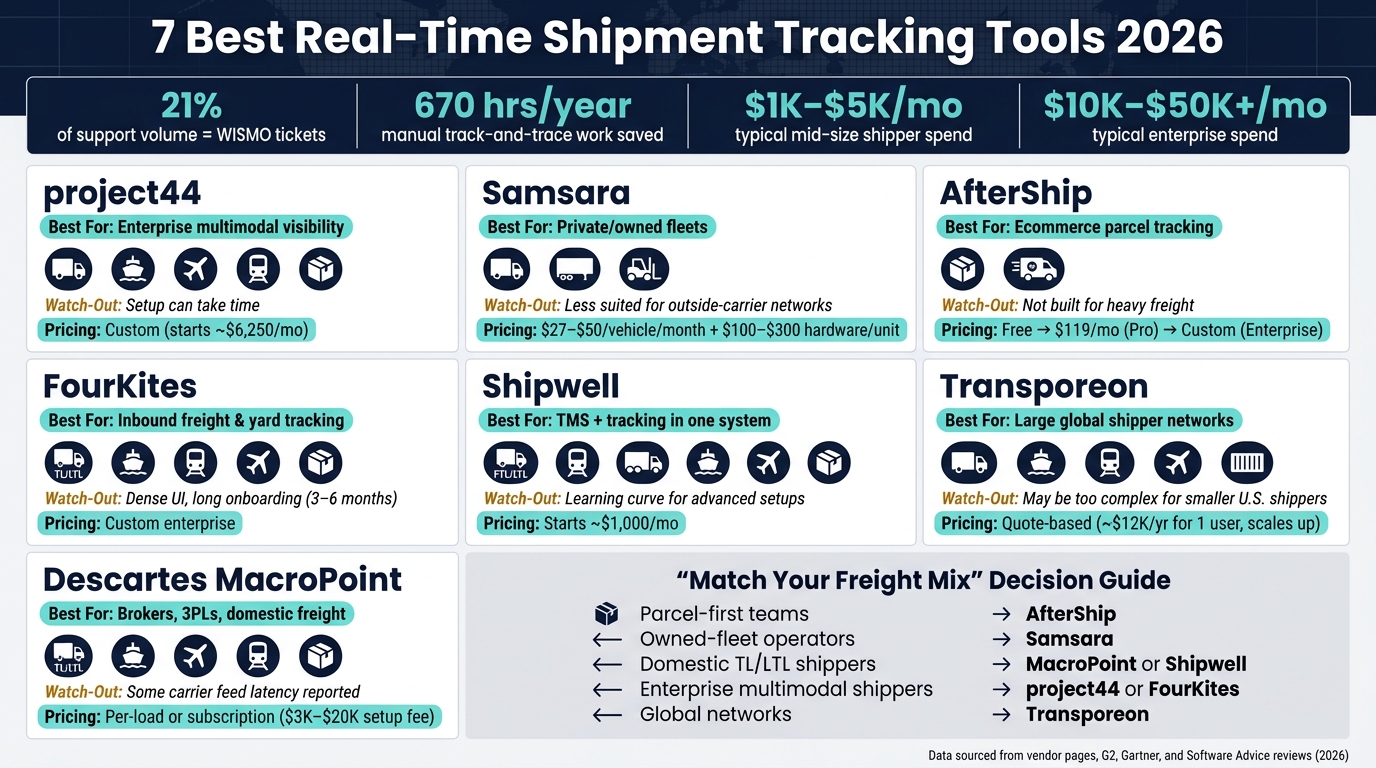
7 Best Real-Time Shipment Tracking Tools 2026: Side-by-Side Comparison
Quick Comparison
| Tool | Best For | Main Modes | Main Watch-Out | Pricing |
|---|---|---|---|---|
| project44 | Enterprise multimodal visibility | Road, ocean, air, rail, parcel | Setup can take time | Custom |
| FourKites | Inbound freight and yard tracking | TL, LTL, ocean, rail, air, parcel | Dense UI and long onboarding | Custom |
| Descartes MacroPoint | Brokers, 3PLs, domestic freight | TL, LTL, ocean, air, rail, parcel | Some users report feed latency | Per-load / subscription |
| Samsara | Private fleets | Road, trailers, equipment | Less natural for outside-carrier networks | $27 to $50 per vehicle/month + hardware |
| AfterShip | Ecommerce parcel tracking | Parcel, last mile | Not built for heavy freight | Free, then $119/month+ |
| Shipwell | TMS plus tracking | FTL, LTL, rail, drayage, ocean, air, parcel | Learning curve for deeper setups | Starts around $1,000/month |
| Transporeon | Global shipper networks | Road, ocean, rail, air, intermodal | Can be too much for smaller U.S. shippers | Quote-based |
Put simply: AfterShip fits parcel-first teams, Samsara fits owned fleets, MacroPoint and Shipwell fit domestic freight, project44 and FourKites fit large multimodal shippers, and Transporeon fits global networks. That framing makes the rest of the article much easier to use.
sbb-itb-fd683fe
What to Look for in a Real-Time Shipment Tracking Tool
Start by sorting tools into three buckets: enterprise visibility platforms, fleet telematics tools, and parcel tracking platforms. That one step makes the rest of the decision much easier. When you compare the seven tools in this list, use the category as your first filter. Then test ETA accuracy before anything else.
ETA accuracy is the top technical factor to check. Don’t let vendors walk you through polished demo lanes that never hit delays. Ask them to show ETA performance on disrupted lanes instead. That’s where weak tracking shows up fast. GPS-based tools usually refresh location data every 30 seconds to 5 minutes, while SIM-based tracking is closer to 5–15 minutes. For time-sensitive freight, that difference matters.
Then look at whether the tool covers every mode you ship. Once you move beyond parcel, modal coverage matters more than going deep on just one mode. A parcel-only shipper needs one kind of setup. An enterprise shipper moving freight across ocean, air, rail, and FTL/LTL needs something much broader. The key is simple: can the platform track the freight you move across the handoffs where visibility tends to fall apart? Pay close attention to ocean-to-road transitions, where detention risk is often highest.
Integration depth is what separates time-savers from time-wasters. The strongest platforms sync both ways with your TMS, ERP, WMS, and ecommerce systems like Shopify. That cuts manual entry and keeps logistics data lined up with inventory and finance. For SMB ecommerce brands, parcel carrier API integrations and branded tracking pages usually matter most. For enterprise shippers, deep ERP and TMS connectivity is the bigger issue. When teams get integrations right, they can cut manual track-and-trace work by up to 670 hours per year.
After coverage and integrations, check how the tool handles exceptions. You want exception-first workflows that automatically route severe alerts to the right people. It also helps to have on-time and dwell-time analytics so you can hold carriers accountable and spot problem lanes before they turn into repeat costs.
Pricing usually climbs with shipper size. Mid-size shippers often pay $1,000 to $5,000 per month. Enterprise contracts can reach $10,000 to $50,000+ per month, depending on shipment volume and operational complexity.
1. project44
If ETA accuracy and multimodal coverage are your main filters, project44 stands out as the deepest enterprise option here. It’s the strongest fit for multimodal visibility and ETA accuracy, and Gartner names it a Leader in the Magic Quadrant for Real-Time Transportation Visibility Platforms.
Real-Time Visibility Depth
project44 goes past basic shipment tracking with SKU-level and node-level visibility. Its Movement platform gives teams door-to-door visibility across ports, terminals, yards, and other handoff points.
That matters when freight doesn’t move in a straight line. A shipment can look fine at the carrier level but still get stuck at a yard or terminal. project44 helps surface those gaps.
Its AI Disruption Navigator links disruptions to the exact shipments they affect, including weather, port strikes, and social unrest. ETAs are then recalculated using live movement signals and disruption data, not just static carrier milestones.
Mode and Carrier Coverage
Coverage becomes a big deal when freight moves through several stops and carriers. project44 supports:
- FTL, LTL, ocean, air, rail, parcel, last mile, barge, and roll-on/roll-off (Ro-Ro) freight
- More than 240,000 carriers across 1,000+ carrier integrations
Road carrier coverage is strongest in North America, where updates are near-continuous. Road coverage is also strong in Europe, but thinner in APAC.
Integrations and Automation
project44 uses an API-first setup, so visibility data can flow into TMS, ERP, and WMS workflows. It also connects with systems like SAP TM and Oracle OTM.
The platform includes AI Document Parsing, which pulls structured data from bills of lading and invoices. It also supports automated exception workflows that flag delays, dwell-time issues, and appointment-related risks before delivery.
On top of that, data quality dashboards help carriers improve the accuracy of the data they send.
Pricing
project44 uses custom enterprise pricing and doesn’t publish a public rate card. Budgets often start around $6,250 per month and go up based on volume and implementation complexity.
2. FourKites
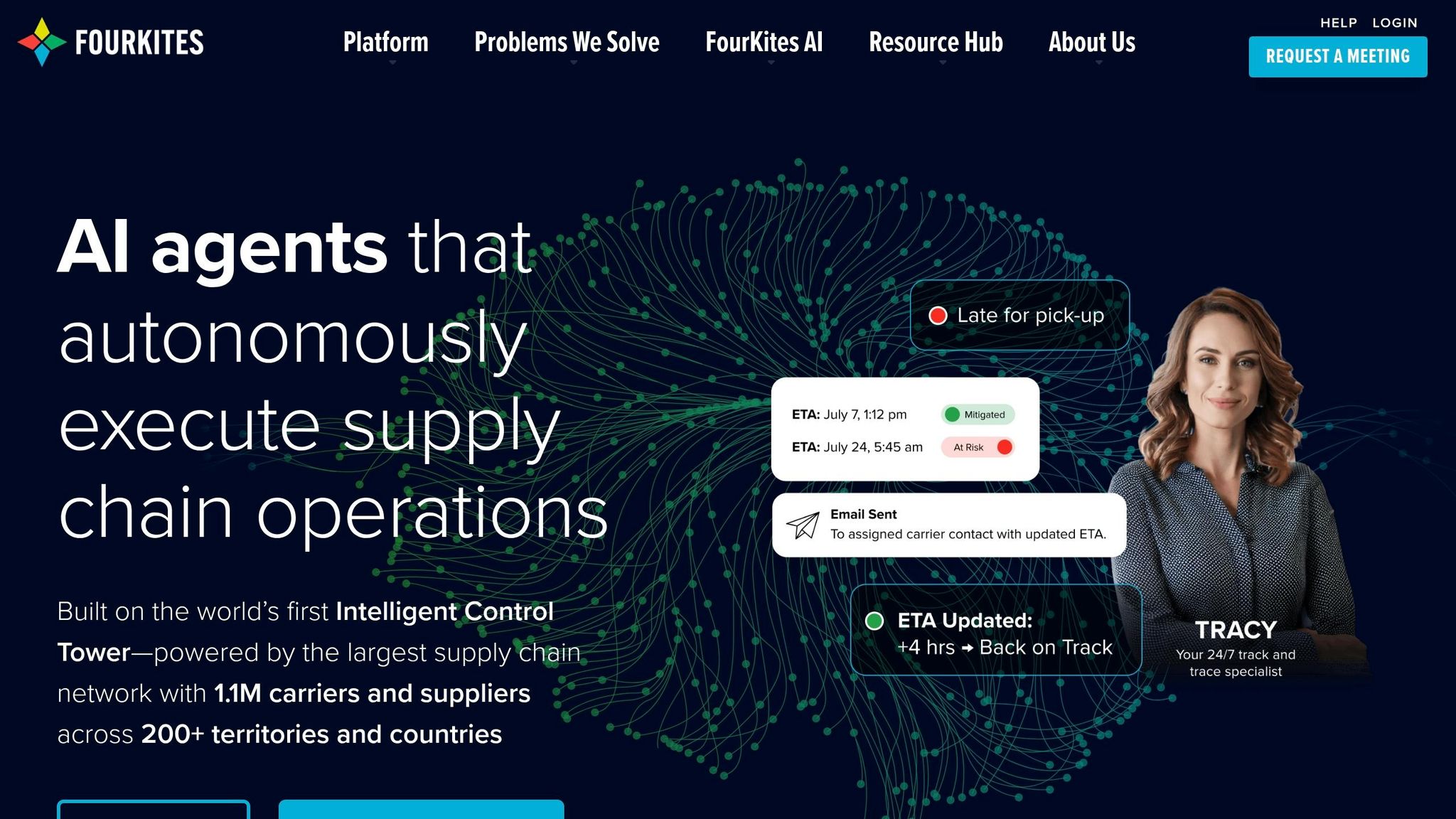
FourKites is a strong pick if your biggest headaches are inbound visibility and yard operations. Its Dynamic Yard module gives teams detailed visibility into yard activity and dwell time. That makes it a good match for shippers dealing with dwell time, missed appointments, and inbound delays.
Real-Time Visibility Depth
FourKites uses an event-driven tracking model, so teams can spot delay risks and shipment status changes as they happen. Control Center sends proactive delay alerts with configurable escalation rules, and ETAs update as often as every two hours based on traffic, weather, carrier history, and capacity data.
Mode and Carrier Coverage
FourKites supports TL, LTL, ocean, rail, air, parcel, and last mile. Its carrier network includes 1,500+ carriers worldwide, with 800+ tied to ocean, rail, and air.
Coverage is strongest in North America and Europe, and North American trucking is where the platform has its deepest reach. APAC coverage is growing, but it still trails North America and Europe.
Integrations and Automation
If you need visibility data to move into TMS and ERP workflows without a lot of manual work, this is one of FourKites' strong points. The platform includes pre-built connectors for SAP TM and Oracle OTM, plus integrations with Microsoft, Trimble, McLeod, Tive, and AWS. It also comes with document management tools that help with exception handling and shipment data workflows across complex supply chains.
There is a catch, though. Deep workflow setup often calls for specialist implementation support, and full carrier onboarding can take 3 to 6 months. On G2, users rate FourKites 4.3/5 across 269 reviews. Common complaints point to a dense UI, geofencing issues, and long onboarding timelines.
Pricing
FourKites uses custom enterprise pricing and does not publish a public rate card. Pricing is usually volume-based, which means per-shipment costs tend to drop as shipment volume climbs. If you're rolling out a large ocean or multimodal setup, the annual spend can reach six figures.
3. Descartes MacroPoint
Descartes MacroPoint is a strong fit for freight brokers, 3PLs, and shippers that depend on large third-party carrier networks. At Landstar, 80% of brokered loads are tracked on the platform.
Real-Time Visibility Depth
MacroPoint stands out when visibility depends on a lot of outside carriers and frequent status handoffs. It gives teams live map-based tracking, frequent location updates, and predictive ETAs. The Action Center helps users sort out loads that aren’t tracking the way they should, and FraudGuard adds fraud and theft detection before small issues turn into bigger ones.
It also sends automatic milestone alerts for departure, arrival, and geofence events. On G2, MacroPoint has a 4.7/5 rating across 778 reviews, with users pointing to the easy-to-use interface and steady real-time milestone updates. That said, some users mention intermittent latency when carrier feeds stall.
This is where the platform tends to shine most: loads moving across multiple modes and carrier partners.
Mode and Carrier Coverage
The platform supports:
- Truckload
- LTL
- Ocean
- Air
- Rail
- Parcel
It has strong coverage for North American trucking and brokered freight. MacroPoint also supports mixed fleets through ELD and telematics data, plus cross-border tracking into Mexico.
Integrations and Automation
MacroPoint connects with major TMS, ERP, and WMS platforms through API and EDI integrations. Its automation tools include status updates, configurable alerts, dock appointment scheduling, and billing triggers tied to delivery confirmation.
Pricing
MacroPoint uses volume-based per-load pricing, with lower rates as shipment volume goes up. One-time implementation fees usually range from $3,000 to $20,000. Features like advanced analytics, CO2 reporting, temperature monitoring, and branded portals come at an added cost.
4. Samsara

Samsara relies on hardware installed on vehicles and trailers, which makes it a strong match for private fleets and dedicated carriers. If your company owns the truck or trailer, the data coming off that asset can double as the shipment record. That's a clean setup.
For brokerage-led 3PLs, though, the fit is less natural. The same goes for 3PLs that depend on outside carriers, where you don't control the hardware on the road.
Real-Time Visibility Depth
Samsara delivers frequent GPS updates, usually every 2 to 5 seconds while a vehicle is moving and every few minutes when it's parked. Geofences can also trigger arrival, departure, and dwell alerts.
The platform goes beyond truck location. It also supports trailers and equipment through asset trackers, reefer monitors, and vehicle gateways. Alerts can flag:
- Speeding
- Idling
- Engine faults
- Low battery
- Door openings
- Sensor breaches
All of that gives fleet teams a tighter grip on what is happening in transit, not just where the asset is.
Samsara holds a 4.5/5 rating across 1,007 reviews on Software Advice. Users often point to its real-time tracking and AI dashcams as standout features.
Mode and Carrier Coverage
Samsara is a better fit for fleets that control their own trucks, trailers, and onboard sensors. That matters a lot in temperature-controlled shipping, where sensor data can be just as important as location data. In that use case, Samsara stands out.
It also works well for oversize freight operations, where connected asset data helps teams react when something goes off track.
Integrations and Automation
Samsara includes more than 150 pre-built integrations. These cover TMS platforms such as McLeod and Axon, ERP systems like SAP, Oracle, and Workday, and maintenance tools such as Fleetio.
If you need a custom setup, Samsara also offers a REST API. On top of that, Samsara Workflows uses geofence-based triggers to automate exception handling and dispatch notifications.
Pricing
Samsara usually costs between $27 and $50 per vehicle per month and often comes with a 36-month contract.
There are also upfront hardware costs. Vehicle gateways, AI dashcams, and environmental sensors can add about $100 to $300 per unit.
Base pricing may not tell the whole story, so buyers should check for extra charges tied to video storage overages and API access fees.
5. AfterShip
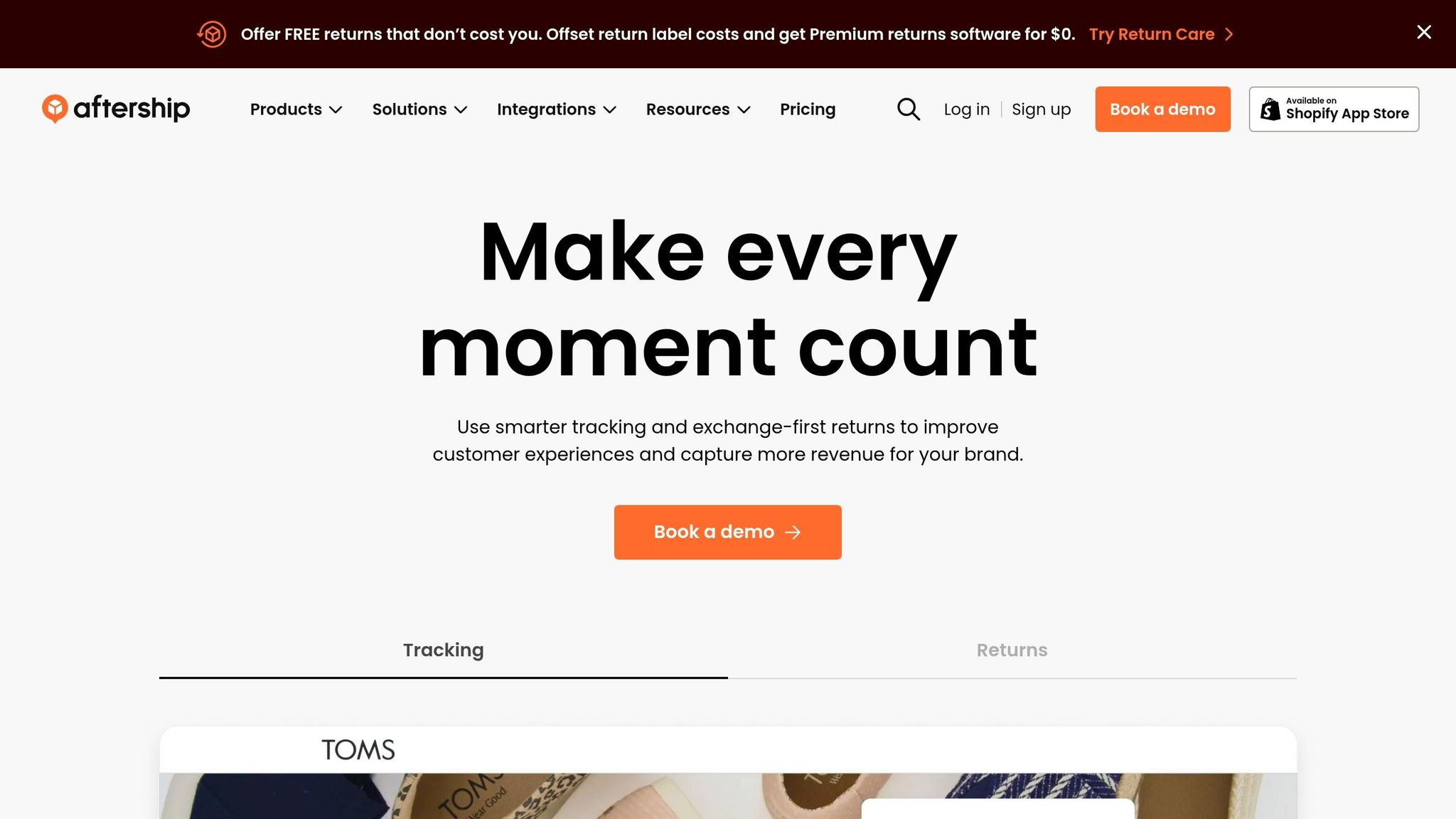
AfterShip gives ops teams and customers one shared view of parcel tracking. It works well for e-commerce brands, DTC sellers, and 3PLs dealing with high parcel volume and wanting tracking that still feels on-brand. In plain English, it's best for parcel-heavy ecommerce, DTC, and 3PL tracking, not complex multimodal freight.
Real-Time Visibility Depth
AfterShip turns carrier scans into 7 statuses and 33 sub-statuses, so teams get one consistent shipment timeline across carriers. Webhook-based status updates can come in within 100 ms, and the platform reports 99.99%+ API uptime. If a shipment is delayed, lost, or a delivery attempt fails, AfterShip flags it on its own.
It also uses machine learning to generate dynamic estimated delivery dates based on things like weather, product category, and past carrier performance. That matters because delivery estimates can shift fast. AfterShip says this can cut WISMO tickets by up to 65%.
Mode and Carrier Coverage
AfterShip supports 1,312+ carriers and adds about 50 new carriers each month. Its network covers parcel, regional last-mile couriers, LTL, and freight, including major U.S. carriers like UPS, USPS, FedEx, and DHL.
That carrier count is a big plus. But the bigger selling point is how AfterShip turns raw scan events into updates customers can actually follow.
Integrations and Automation
AfterShip connects with 70+ platforms, including Shopify, BigCommerce, WooCommerce, Salesforce Commerce Cloud, NetSuite, Klaviyo, Zendesk, and Gorgias. If you need to connect tracking data to a warehouse system or TMS, its REST API and webhooks can pass that data into outside systems.
Automation is built around rules-based notifications. Teams can send email, SMS, or WhatsApp messages based on carrier scan events, which cuts down on manual follow-up. On higher plans, branded tracking pages can also include product recommendations.
Pricing
AfterShip prices its plans by monthly shipment volume:
| Plan | Starting Price | Shipment Limit |
|---|---|---|
| Free | $0/month | 50/month |
| Pro | $119/month | 2,000/month |
| Enterprise | Custom | Custom |
Pro is where the product starts to open up, with AI EDD, webhooks, and full API access. If you want a custom domain or want to remove the "Powered by AfterShip" branding, you'll need a higher tier.
AfterShip also has a 4.9/5 rating on Software Advice based on 469 reviews, and users often point to its broad carrier support and branded tracking pages as standouts.
For parcel-first teams, the draw is simple: branded tracking, fast alerts, and fewer customer support tickets.
6. Shipwell
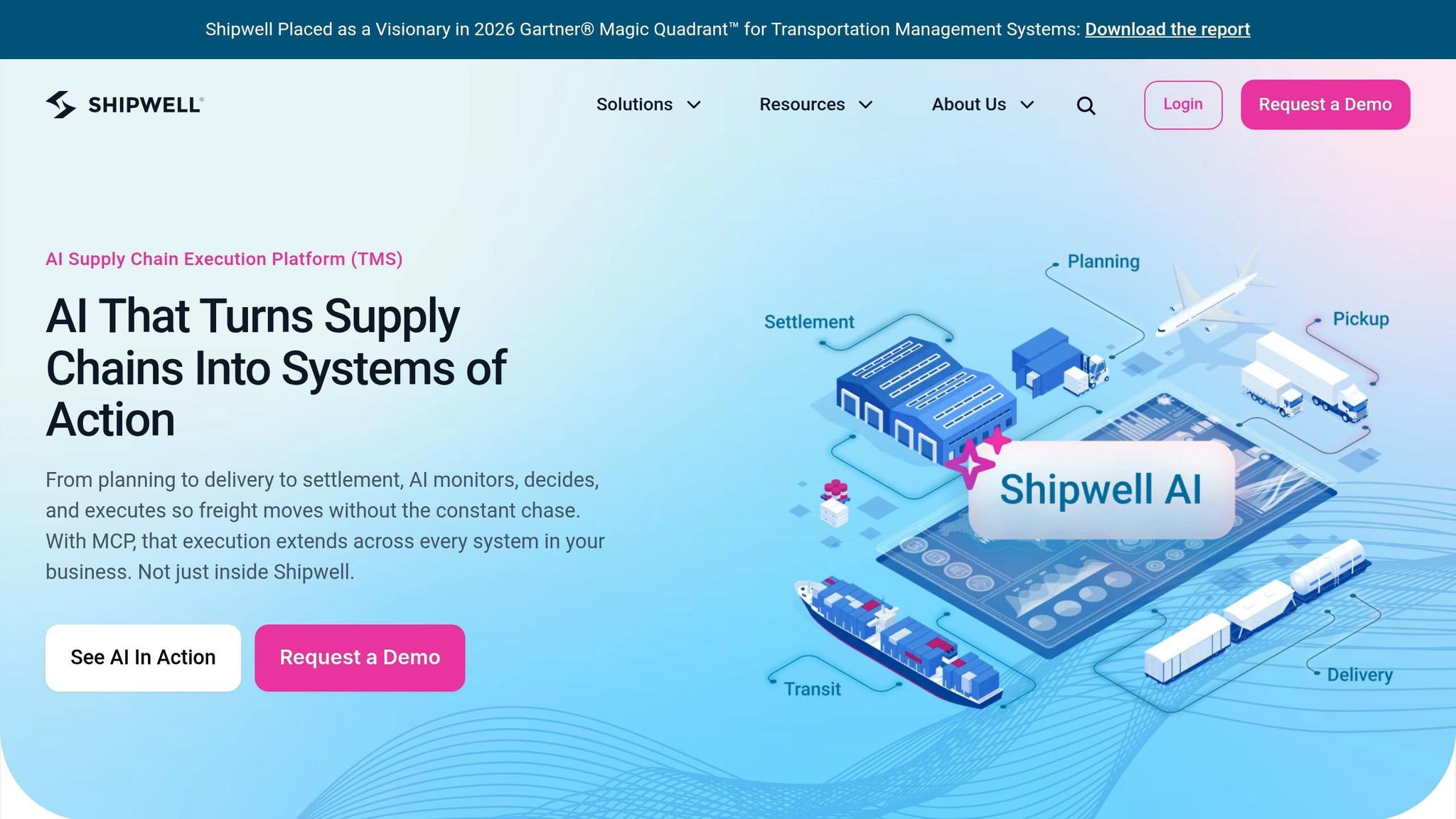
Shipwell is a TMS with built-in real-time tracking for multimodal shippers. In plain English, it puts shipment execution and tracking in the same place, which is a strong match for teams that don’t want to jump between tools.
Real-Time Visibility Depth
Shipwell gives ops teams a 24/7 live map with real-time timeline updates. Its Compass dashboard pulls exceptions into one view and uses machine learning to flag outlier shipments while suggesting corrective actions.
The Track & Trace AI Worker watches every shipment, spots exceptions as they happen, and automates carrier communication. Shipwell also offers predictive ETAs and proactive notifications, with a reported 95% on-time notification rate for customer communication. That means teams can deal with problems faster instead of chasing updates by hand.
Mode and Carrier Coverage
Shipwell supports FTL, LTL, volume LTL (vLTL), rail, drayage, ocean (FCL), air, and parcel. Its network includes nearly 2 million ELD-connected units and 850,000 drivers. For ocean freight, it tracks terminal and port last free-day deadlines, which can help shippers avoid demurrage and detention fees.
Integrations and Automation
Shipwell is built API-first, with REST, SOAP, webhooks, EDI, and flat file support. It connects with major ERPs such as SAP, Oracle, and NetSuite, along with visibility providers like project44, so live shipment status can keep moving across systems.
Pricing
Shipwell starts at about $1,000 per month, and there’s a free trial available. Enterprise pricing is custom.
Shipwell has a 4.7/5 rating on Gartner Peer Insights based on 35 reviews and a 91% user satisfaction rating on SelectHub. The most common complaints point to a steep learning curve for advanced setups and occasional issues with dashboard settings not sticking between sessions.
7. Transporeon
For global shippers that want visibility built right into execution, Transporeon rounds out the enterprise tier. Its Visibility Hub brings together Trimble Visibility’s North American footprint and Transporeon’s global carrier network.
Real-Time Visibility Depth
Visibility Hub pulls telematics, ELD, and carrier data into one ETA and exception feed. In plain terms, teams get live location, milestone, and exception updates in one place, plus real-time alerts when something goes off track.
Transporeon also includes Digital Transport Documents (eCMR), which turn proof of delivery into a digital workflow. Carriers can sign on mobile, and the signed document shows up in the platform right away.
Users report up to an 80% drop in check calls after putting Visibility Hub in place.
Mode and Carrier Coverage
Transporeon covers road, ocean, rail, air, and intermodal shipments on one platform. That matters if your freight mix is spread across regions and modes. Instead of stitching tools together, you can manage movement in one system.
Its network includes more than 210,000 carriers and 1,500+ shippers worldwide, and road coverage alone tops 158,000 carriers. The platform also says it has 100% telematics market coverage through integrations.
In benchmarking analysis, it scores 4.6/5 for both real-time visibility and multimodal/global capability. That makes it a strong match for global, multimodal freight operations. If you're a smaller U.S.-only shipper, though, this may feel like more platform than you need.
Integrations and Automation
Transporeon offers native connectors and APIs for ERP and WMS systems, along with telematics and ELD integrations. Its Open Visibility Data API is RESTful and uses JSON, which helps teams share real-time data with partners across different systems.
That’s a big deal if you want tracking and freight execution to live in the same workflow instead of bouncing between tools. Core automations include:
- no-touch order processing
- automated freight matching
- AI-enabled freight assignment
- automated freight audit
One practical note: spell out ERP integration ownership in the contract before you sign. Users have said bespoke ERP projects can eat up time and internal resources when scope isn’t locked down early.
Pricing
Transporeon uses a quote-based, usage-based pricing model tied to transaction volume or user count. Annual costs start at about $12,000 for one user, $120,000 for 10 users, and $1.2 million+ for 100 users.
That pricing makes the target market pretty clear. This is aimed at large freight networks, not small domestic shippers. Buyers should also plan for one-time implementation, data migration, and training costs.
On review platforms, Transporeon has a 4.1/5 rating on G2 and a 3.2/5 rating on Gartner Peer Insights. Common complaints point to a steep learning curve and admin-heavy setup when teams need advanced configurations.
Side-by-Side Comparison Table
The table below lines up each tool against the criteria above, so you can compare them without bouncing back and forth.
| Tool | Primary Focus | Modes Covered | Ideal Size | Standout Strengths | Notable Limitations | Pricing Model |
|---|---|---|---|---|---|---|
| project44 | Enterprise visibility | Road, ocean, air, rail, parcel, last mile | Enterprise | High-granularity event collection and API integration | Implementation complexity; APAC coverage gaps | Custom enterprise subscription |
| FourKites | Predictive visibility | TL, LTL, ocean, rail, air, parcel, last mile | Enterprise | Predictive ETA accuracy; Yard Management module | Stronger in North America than internationally | Custom enterprise subscription |
| Descartes MacroPoint | Truckload visibility | Truckload, LTL, ocean, air, rail, parcel, cross-border | Brokers & shippers | Rapid carrier onboarding; deep North American trucking network | Limited ocean and air capabilities | Per-load or subscription |
| Samsara | Fleet telematics | Road (owned fleet) | Owned-fleet operators | Real-time telematics; driver safety and compliance | Primarily for owned assets, not multi-carrier networks | Subscription |
| AfterShip | Parcel tracking and customer experience | Parcel | SMB to mid-market | Branded tracking pages; 1,000+ carrier integrations | Not designed for heavy freight or LTL | Volume-based |
| Shipwell | TMS + visibility | FTL, LTL, vLTL, rail, drayage, ocean, air, parcel | Mid-market | Integrated TMS, freight bidding, and tracking | Less focus on global ocean and air modes | Volume-based |
| Transporeon | Global logistics execution | Road, ocean, rail, air, intermodal | Enterprise | Best-in-class European road carrier coverage | Limited coverage in North America and APAC | Quote-based, usage-based |
The simplest way to use this shortlist is to match the tool to your freight mix.
- Parcel-first teams should start with AfterShip.
- Owned-fleet operators should start with Samsara.
- Domestic TL/LTL shippers should start with Descartes MacroPoint or Shipwell.
- Enterprise multimodal shippers should start with project44 or FourKites.
- Global networks should start with Transporeon.
Start with coverage first. Then look at rollout fit. A tool can look great on paper, but if it doesn't line up with your carrier base, mode mix, or team setup, you'll feel that gap fast.
Use the shortlist above to match coverage, then use the implementation tips below to speed rollout.
Implementation Tips for U.S. Shippers
Once you pick a tool, rollout speed usually comes down to three things: data quality, carrier coverage, and clear ownership inside your team.
Setup time can vary a lot. Parcel platforms like AfterShip can go live the same day for SMB teams that already use Shopify or an OMS. Fleet telematics tools like Samsara take more work, since you need device installation and driver-app rollout before tracking even begins. Enterprise visibility tools usually take months, not days.
Start with clean source data. Duplicate shipments will skew dashboards and ETAs. Put bluntly: bad source data is the fastest way to break ETA confidence.
After cleanup, map out how each shipment will feed the platform. A simple channel-by-channel setup works best:
- APIs for frequent updates
- GPS for high-value freight
- SIM tracking for low-EDI markets
- AIS for ocean
- EDI for legacy carrier networks
Then tighten your alerts so they focus on the exceptions that actually cost money. Set rules around stalled shipments, ETA drift caused by live weather, traffic, or port congestion, and dwell-time limits that flag demurrage risk before charges start piling up.
For ocean freight, watch milestones closely. That data can support demurrage and detention disputes. And don't flip on every alert just because you can. Broad rules create noise, and noisy systems get ignored by operations teams. It’s smarter to build the ruleset in stages and keep an eye on missed handoffs or customs holds.
Ownership should be clear before go-live. In most teams, the split looks like this:
- Customer service handles outreach through branded tracking pages, SMS, or WhatsApp
- Logistics owns carrier performance and SLA enforcement
- Procurement uses scorecard data to renegotiate weak carriers and push for better contract terms
Conclusion
The right tool comes down to how you move freight, how much you ship, and how your team works day to day.
Based on the comparison table, these seven tools fall into five clear use cases: enterprise visibility, fleet telematics, parcel tracking, TMS-linked execution, and global multimodal coverage.
As you narrow your shortlist, take one more pass through the basics before you buy:
- Coverage
- Integrations
- Rollout effort
- Price
That last point matters more than many teams expect. A tool with a long feature list can look great in a demo and still be the wrong choice if it doesn’t fit the way your team actually ships.
It also helps to budget against shipment volume from the start. Mid-size shippers typically spend $1,000 to $5,000 per month, while enterprise deployments run $10,000 to $50,000+ per month. Get clear on price early, because the wrong tier can wipe out the gains.
FAQs
How do I choose the right tracking tool for my freight mix?
Start with your delivery model. That’s where teams often get it wrong: they pick a platform that looks good on paper but doesn’t fit how shipments move day to day.
Then look at four core areas: coverage, functionality, integration, and pricing.
Make sure the tool supports your transport modes and the carrier network you use in each region. On the feature side, put predictive ETAs near the top of the list. They should be based on live data, not static rules. Also look for exception management, so your team can spot delays, missed handoffs, and other issues before they turn into customer problems.
Integration matters just as much. The platform should connect cleanly with your TMS, ERP, or WMS, so data flows without extra manual work or workarounds.
What integrations matter most before I buy?
Prioritize integrations that tie your current stack together - especially your TMS, WMS, ERP, and OMS - so you can work from one shared source of truth.
It also helps to look for a strong library of pre-built carrier connectors, plus support for API and EDI feeds that normalize data across systems. And if you want updates as they happen, webhooks can push real-time status changes straight into your tools.
How long does shipment tracking software take to implement?
Implementation time depends on your logistics setup and the systems you need to connect.
Enterprise platforms often take longer to roll out, especially when they need to link with tools like ERPs, WMS, and TMS, or when you need to onboard regional carriers that aren't part of standard support.
By contrast, more agile or developer-focused tools can go live faster thanks to flexible APIs.
If your goal is to get to the first tracked shipment sooner, look for platforms with pre-built connectors.
Related Blog Posts
- 7 Tips for Choosing Invoicing Software
- Best AI Tools for Real-Time Capacity Planning
- Best AI Tools for Waste Tracking
- Best Invoicing Software for Time Tracking Integration
More on StackRundown
Continue on the SaaS Reviews hub, or read next: