10 Key Features in Data Catalog Software
Overview of 10 core data catalog features—metadata, search, lineage, governance, quality, connectors, collaboration, AI, and UX.

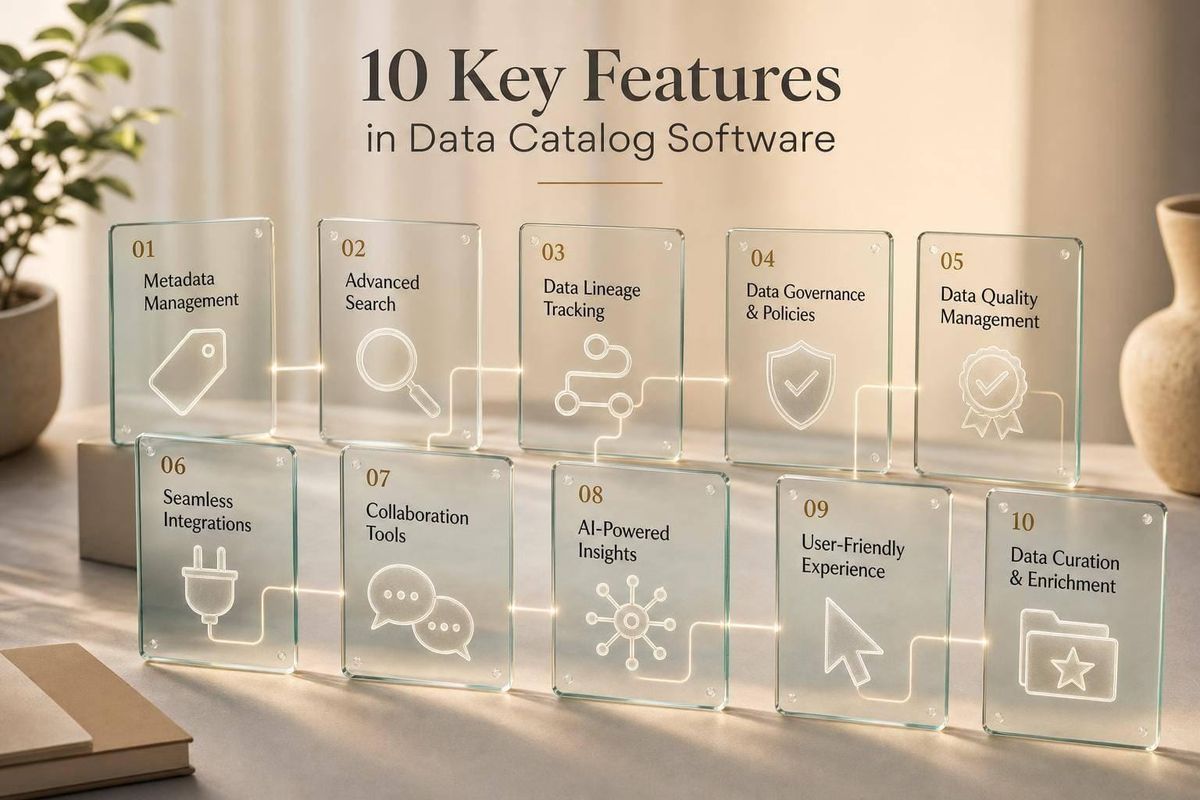
Most data teams waste time before they ever analyze anything. In many cases, about 80% of the work goes to finding and preparing data, while only 20% goes to analysis.
If I were choosing data catalog software today, I’d focus on one question first: Will this tool help my team find trusted data fast and control sensitive data across every system we use? For U.S. teams, that means looking at search, metadata, lineage, access control, quality signals, and AI-driven automation - not just a long feature list.
Here’s the short version of what matters most:
- Metadata management keeps asset details current and useful
- Search and discovery helps people find the right data in minutes
- Lineage shows where data came from and what depends on it
- Governance and compliance controls help with HIPAA, CCPA, SOX, and audit needs
- Business glossary and data dictionary give teams a shared language
- Data quality signals show whether data is usable right away
- Connectors and integrations keep the catalog from missing parts of your stack
- Collaboration tools keep context out of Slack and email
- AI automation cuts manual tagging, classification, and ranking work
- User experience and extensibility decide whether people will use the tool at all
A few numbers stand out:
- Data discovery time can drop by 50% to 70%
- Some active catalogs keep metadata accuracy above 90%
- In strong setups, discovery time can fall from 4.2 hours to 12 minutes
- A proof of concept should run 2–4 weeks and test 10,000+ assets
What I take from this is simple: a data catalog is not just a search tool. It sits at the center of data discovery, governance, analytics, and AI work.
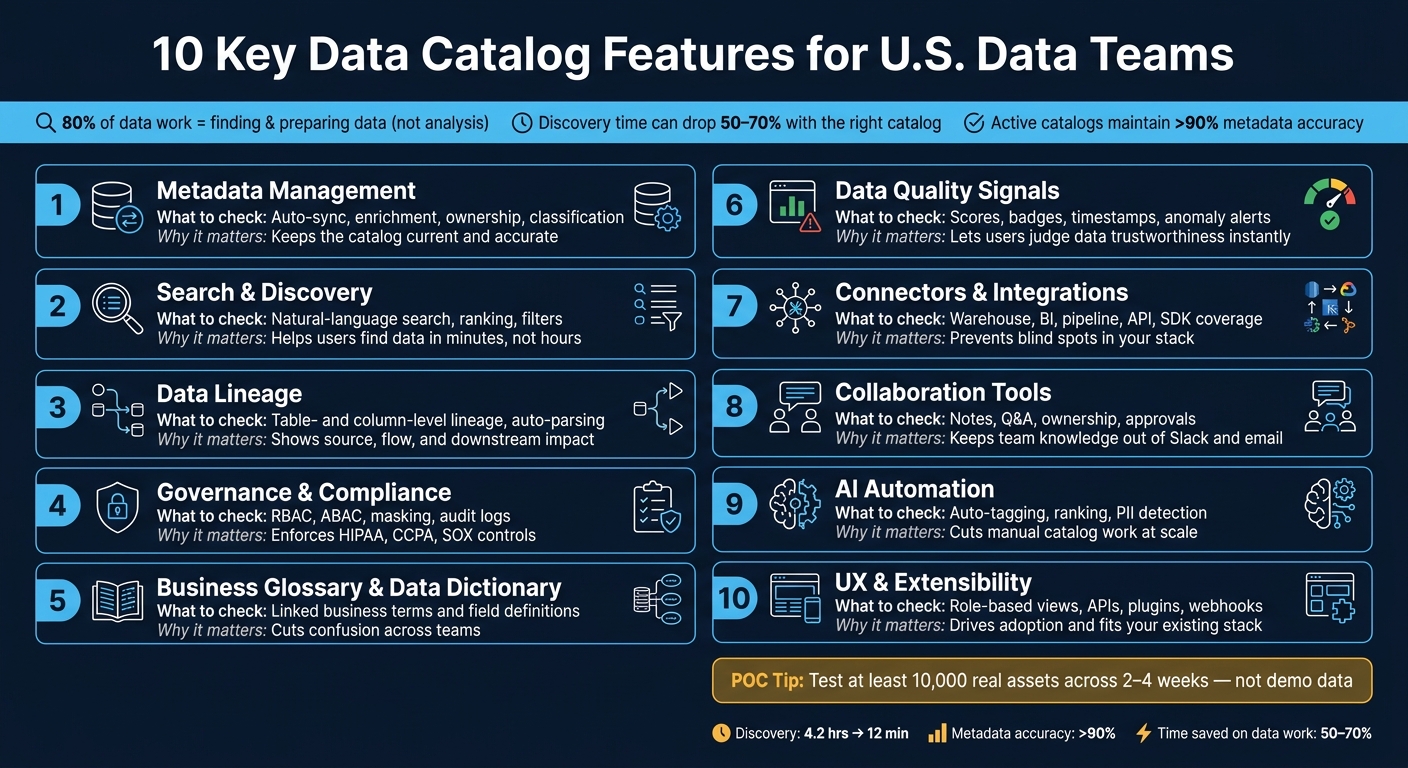
10 Key Data Catalog Features: What to Evaluate & Why It Matters
8 Essential Data Catalog Use Cases Every Data Leader Should Know (2025)
sbb-itb-fd683fe
Quick Comparison
| Feature | What I’d check first | Why it matters |
|---|---|---|
| Metadata management | Auto-sync, enrichment, ownership, classification | Keeps the catalog current |
| Search and discovery | Natural-language search, ranking, filters | Helps users find data fast |
| Lineage | Table- and column-level lineage, auto-parsing | Shows source, flow, and impact |
| Governance and compliance | RBAC, ABAC, masking, audit logs | Helps control sensitive data |
| Business glossary | Linked business terms and field definitions | Cuts confusion across teams |
| Data quality | Scores, badges, timestamps, anomaly alerts | Helps users judge data fast |
| Connectors | Warehouse, BI, pipeline, API, SDK coverage | Prevents blind spots |
| Collaboration | Notes, Q&A, ownership, approvals | Keeps team knowledge in one place |
| AI automation | Auto-tagging, ranking, PII detection | Cuts manual catalog work |
| UX and extensibility | Role-based views, APIs, plugins, webhooks | Drives use and fits your stack |
If I were narrowing vendors down, I’d rank these features by use case first - governance, analytics, AI/ML, or data engineering - and then test them on my own data, not demo data.
Why These Features Matter for U.S. Data Teams
These features shape three things that make or break day-to-day work: how fast teams find data, how much they trust it, and how safely they use it. For U.S. data teams, lost time here doesn't just feel annoying. It leads to slower analytics, weaker governance, and more risk as data volumes grow and AI use spreads. Modern platforms can cut data discovery time by 50% to 70%, which gives teams more time for actual analysis.
For U.S. teams, this goes past output. Rules like CCPA and HIPAA mean you need a clear view of where sensitive data sits, who has access to it, and how it moves across systems. That gets hard fast when governance depends on manual work. As AI use grows and decisions happen faster, policies need to be automated and enforced.
And governance by itself won't cut it. People also need fast proof that data is current and dependable. If analysts can't check freshness or accuracy right away, they either burn time double-checking the data or push dashboards that no one should trust. Catalogs that surface quality and freshness directly in search results make that check much easier at the moment people find the data.
Pick a platform that can handle future governance and AI pressure, not just what your team needs today. The next 10 features show what to look at first.
1. Metadata Management and Enrichment
Metadata is the backbone of a data catalog. Without it, a catalog can't support discovery, lineage, or trust. It also makes search faster and far more useful.
A strong catalog needs to manage technical, operational, and business metadata in one governed system. Business metadata covers things like definitions, glossary terms, and notes on how useful a dataset is for different teams.
The problem is that manual curation falls out of date fast as schemas shift and data grows. That's why modern active catalogs keep watching source systems and can update metadata within minutes when schemas change or new tables appear. In some cases, they maintain accuracy above 90%.
Automated extraction helps keep metadata current and accurate. The best platforms go beyond basic ingestion and add descriptions, ownership, glossary terms, classifications, usage metrics, quality signals, and automatic PII tagging. That extra context makes metadata useful for both technical and business users.
Connectivity matters just as much. Look for out-of-the-box connectors across core data, BI, and transformation tools so metadata can move end to end without manual stitching. Bi-directional sync can also make a big difference. Some platforms can push curated metadata back into tools like Slack, Tableau, and Excel, so the context stays tied to the data.
Once metadata is enriched, search and filtering work much better.
2. Search and Data Discovery
Metadata only helps when people can find what they need. That’s what turns a catalog from a nice idea into something teams use every day.
By 2026, natural-language search should be standard. A user should be able to type "customer revenue data for Q4" and get the right results without writing SQL. Good catalogs go a step past keyword matching. They use semantic search to understand meaning, business language, and synonyms, so people can find the right asset even if they don’t know its exact technical name.
Of course, fast search alone doesn’t solve much. If results are noisy or ranked badly, people stop trusting the tool.
Search becomes useful when it puts the right assets first and shows context right in the results. The best catalogs surface trust signals such as data quality scores, verified or deprecated status, and last-updated timestamps. Cutting search time down to minutes is a clear win. But that only happens when the catalog indexes every source people depend on.
If search can’t reach the systems teams already use, it falls apart. Databases, lakehouses, file systems, and BI tools all need to be connected. If they aren’t, users will go around the catalog and look elsewhere. A single search bar across connected sources makes this much easier. From there, lineage helps users see how each asset was created and how it changed over time.
Search should also show source and transformation context, so users can check what they’ve found before they use it.
3. Data Lineage and Provenance
Search helps users find an asset. Lineage helps them decide if they should trust it. Once someone finds a dataset, the next question is simple: where did this data come from? Lineage shows the full path data took, from a source system like Salesforce or SAP, through platforms like Snowflake or Databricks, all the way to dashboards, reports, and AI models.
Two levels matter most here. Table-level lineage shows how data moves across systems at a high level. Column-level lineage gets more specific. It tracks how individual fields change along the way. For finance and healthcare teams that deal with regulation, that field-by-field detail matters most. Auditors need to see the exact path a data point followed before it showed up in a report.
The gap between accurate lineage and partial lineage usually comes down to how the system collects it. Manual documentation gets old fast. That’s why catalogs should infer lineage automatically from SQL, query logs, Airflow, and dbt. When something breaks, teams use lineage to spot the problem and trace the root cause fast.
Lineage also helps with impact analysis. Before a data engineer changes a schema, they can check which downstream dashboards, reports, or AI models depend on it. That can stop quiet failures that are tough to trace later. When you assess a catalog, check whether it can follow data across on-premises systems, cloud warehouses, and BI tools without losing the path. That same context also helps with governance and change control.
4. Governance, Security, and Compliance Controls
Lineage tells you where data came from. Governance tells you who can use it, how they can use it, and what gets recorded. For U.S. teams dealing with HIPAA, CCPA, or SOC 2, those controls need to live inside the catalog from day one.
Start with access control. Look for RBAC and ABAC, plus table-, column-, and row-level permissions. ABAC is especially useful when one team should be blocked from a sensitive column, while everyone else can still work with the rest of the dataset. It also helps to connect those controls to your identity provider, so policy enforcement happens from one central place.
After access is set, the catalog needs to apply policy to classified data. Use automated tagging for PII, PHI, and PCI, then apply that classification with dynamic data masking, which hides values in previews from people who aren't allowed to see them. At that point, the catalog does more than list assets. It acts as an enforcement layer.
Audit trails finish the job. Log every access event, metadata change, and query, along with who did what and when. Those logs need to work for both compliance and security teams. And for any of this to work well, teams also need a shared business language, which leads to the next feature.
5. Business Glossary and Data Dictionary
A shared business vocabulary is what makes cataloged data usable across teams. A data dictionary records technical field details inside a single system, so it tends to be used most by admins and engineers. A business glossary defines shared business terms across the company. They do different jobs, but they work best side by side.
When you link them, people can search by a business term and then follow that term down to the field behind it. That also makes trust signals and quality checks easier to read and act on.
A strong glossary gives each domain a steward to keep terms accurate and current. It also needs a clear review cadence and clear domain ownership. At enterprise scale, linked definitions can cut search time and speed decisions.
6. Data Quality Profiling and Trust Signals
Clear definitions help, but they don't make data trustworthy on their own. A good catalog needs to show the core quality metrics that people care about: completeness, accuracy, consistency, uniqueness, validity, and freshness. That way, teams can tell if a dataset is usable before they spend time on it.
Manual checks fall out of date fast, especially when schemas change. That's why automated monitoring matters so much.
This information should appear right where people search. If users have to dig for it, many won't. Show trust signals in discovery results, including badges like Verified, Certified, or Deprecated, along with quality scores and freshness timestamps.
Modern catalogs also keep an eye on data health all the time. ML-driven anomaly detection pushes quality checks into live monitoring, helping teams spot schema drift, volume drops, and unusual patterns without writing manual rules.
Deprecation flags also do an important job. They warn people away from broken or legacy datasets before those datasets end up in reports, models, or downstream systems.
7. Integrations and Connectors
Once metadata, quality, and governance are in place, connectors decide whether your catalog stays complete across the rest of your stack. A data catalog is only as useful as the systems it connects to. If it can’t reach your cloud warehouse, BI tools, or transformation pipelines, you end up with blind spots, and people start to lose trust in it.
At a minimum, a catalog should connect to your warehouses, BI tools, and orchestration stack. That’s what lets teams trace dashboard metrics back to source tables. But coverage by itself isn’t enough. Each connector also needs to pull useful structure, not just asset names.
When you evaluate tools, don’t stop at polished demo data. Test lineage parsing on messy, everyday logic - complex SQL with multiple CTEs, or Spark jobs with several steps. That’s where weak connectors tend to fall apart.
The way metadata gets ingested matters too. Put weight on ingestion that updates metadata fast and supports both scheduled syncs and event-driven updates, so the catalog keeps up as schemas change. Real-time or near-real-time updates help cut down blind spots in fast-moving setups.
And for the gaps that native connectors can’t cover, APIs and SDKs do the rest. Look for open APIs and SDKs so your team can build missing connectors and plug the catalog into CI/CD workflows.
8. Collaboration and Knowledge Sharing
After metadata, lineage, and governance, teams still need a way to keep context up to date. Collaboration features are what make a data catalog stay useful over time. Without them, key context gets stuck in Slack threads, email chains, and random chats.
The main issue is undocumented context. That's the unwritten stuff: why a certain data source is trusted, what a field actually means in day-to-day use, or which version of a metric the finance team relies on. Modern catalogs deal with this by giving teams a place to write that reasoning directly on the asset itself. That usually means annotations, short asset notes, and searchable Q&A tied to specific tables or dashboards.
Strong catalogs also infer ownership from query history and usage, then assign a clear steward. That matters because it gives teams a direct point of contact for keeping metadata, definitions, and trust signals current. If a schema changes or a metric looks wrong, there’s an obvious person to ask instead of a guessing game.
Stewards can also endorse trusted assets or flag stale ones. That update shows up on the asset record, so other users get an immediate visual cue before they build a report on bad data.
It also helps to look for native integrations with:
- Slack
- Microsoft Teams
- Jira
- GitHub
That way, comments, approvals, and ownership updates can happen without leaving the catalog. And with bi-directional sync, catalog context stays visible inside the tools teams already use. That shared context also feeds the AI-driven recommendations in the next section.
9. AI-Driven Automation and Recommendations
Once stewardship and collaboration are in place, AI should handle the repetitive catalog work that people just can't keep up with at scale. Manual curation falls behind fast. A passive catalog can go stale in no time, and metadata accuracy can slip to 60% to 70% within weeks as systems change.
An active catalog works differently. Instead of waiting for someone to submit a form, it keeps watching query logs, transformation code, and BI layers to infer ownership, popularity, and usage in near real time. AI can also help with PII and sensitive-data classification by spotting patterns and flagging Social Security Numbers, credit card formats, and sensitive medical or financial data. With automated syncing in place, active catalogs can keep metadata accuracy above 90%.
The upside for users is huge. Context-aware search can cut discovery time from 4.2 hours to 12 minutes. Good catalogs also rank results based on popularity, frequency of use, and past query patterns, which gives people a better read on whether a dataset is dependable before they touch it. But this only works if people can still check high-stakes assets themselves.
Automation helps. It just shouldn't run the whole show. The best setup follows a "Crawl, Curate, Consume" model: let AI ingest and tag at scale, then ask stewards to certify the assets that matter most.
When you're checking AI features, don't settle for a polished demo. Test the catalog with 10 to 15 of your own hard transformations, like multi-CTE SQL views or dbt models. Then see whether the AI traces upstream and downstream dependencies correctly, without silent gaps. Also confirm MCP support, so AI agents can pull policy-controlled metadata straight from the catalog.
10. User Experience, Customization, and Extensibility
Automation only matters if the catalog fits the way people work day to day. Even a catalog with strong technical features will fall flat if no one uses it. Adoption is the score that matters, and it usually comes down to three things: how easy the interface feels, how well it shifts for different roles, and how smoothly it plugs into the tools your team already relies on.
A simple interface cuts down the learning curve. It also keeps trust signals in front of users right where they make choices.
Role-based views should show people only the assets, fields, and actions tied to their jobs. That keeps the experience cleaner and less noisy. Once the interface matches each role, the next thing to check is whether teams can extend the catalog into their own systems.
API-first catalogs are easier to extend and automate. A well-documented REST API lets engineers read and write metadata through code, automate governance actions, and bring catalog context into CI/CD pipelines. Webhooks and event subscriptions let outside systems react when schemas or ownership change. SDKs and plugins can push catalog context into tools teams already use, like Slack, Tableau, Excel, and other BI tools, so people still get value from the catalog even when they are not logged in. The strongest setups combine APIs, event hooks, SDKs, and plugins to support both people and automated workflows.
The best way to judge this feature is to test how easily the catalog fits into your stack. During your proof of concept, check that it can sync metadata, publish updates, and support custom extensions without needing vendor engineering help.
Feature Comparison Snapshot
Not all data catalog platforms are built the same. The table below gives you a quick read on the biggest points of difference, so you can see where tools tend to split before you decide what your team needs most.
| Evaluation Dimension | What Varies Across Platforms |
|---|---|
| Metadata depth | Depth of captured metadata and how current it stays. |
| Search & discovery | Search quality, ranking, and relevance. |
| Lineage granularity | Level of lineage detail and automation. |
| Governance & compliance | Breadth of policy enforcement and audit support. |
| Data quality visibility | Whether quality data appears in discovery or only in a separate tool. |
| Connector coverage | Breadth of native connectors and update method. Event-driven ingestion updates faster than scheduled scraping. |
| AI automation | How much tagging, classification, and recommendation work AI handles. Some platforms also support PII detection and MCP so AI agents can query metadata at runtime. |
| Collaboration | Whether collaboration is limited to comments or supports workflow. |
| Extensibility | How open the platform is to custom workflows and integrations. |
The labels below make the comparison easier to scan:
- Native = built in
- Partial = needs configuration or another tool
- Add-on = extra cost or a separate module
Use this snapshot to line up feature depth with your team's biggest gaps. Next, rank these features by use case, not by volume.
How to Prioritize Features Based on Your Use Case
Start with the problem your team needs to solve first. Then rank features by that need, not by how many boxes a tool checks. After that, map those features to the team that will use them most.
Governance and compliance teams should put RBAC, automated PII/PHI tagging, lineage, and policy rules near the top of the list. That includes rules that apply on their own, like auto-masking sensitive fields.
Analytics and BI teams should focus on semantic search, a business glossary, and built-in quality signals. Signals like quality scores, certifications, and freshness indicators at the moment of discovery help analysts pick the right dataset faster.
AI and ML teams should focus on model, feature, and embedding registration, training-data lineage, and API access for AI agents and workflows.
For a proof of concept, begin with one high-value use case and validate it in 2–4 weeks. Test real assets - at least 10,000 across more than one source type - so you can see if search relevance and lineage accuracy still hold up under pressure.
Here’s a simple way to map those priorities to each team type.
| Team Type | Top Priority Features | Best Fit |
|---|---|---|
| Governance & Compliance | RBAC, PII tagging, audit logs, lineage | Enterprise legacy or platform-native |
| Analytics & BI | Semantic search, business glossary, BI integration | Modern cloud-native |
| AI & ML | Model registration, training data lineage, API access for AI workflows | AI-native catalogs or catalogs with native model support |
| Data Engineering | Column-level lineage, anomaly detection, API extensibility | Modern cloud-native |
Conclusion
A good data catalog does more than store metadata. It cuts search time, builds trust in the data, and reduces manual governance work. That’s exactly why this checklist matters.
These 10 features are the baseline for U.S. teams that need compliant, dependable data access to support AI governance and compliance. The part that matters most, though, is simple: does it work on your own data?
Don’t rely on a polished demo. Test vendors on your actual data and use a 2- to 4-week proof of concept to see how well the tool fits your setup.
Pick the tools that still perform when the test is real.
FAQs
Which data catalog features matter most for my team?
Prioritize features based on your business goals and your data setup. In most cases, the top picks are automated metadata ingestion, intelligent search with natural language queries, and data lineage you can trace in detail, ideally down to the column level.
It also helps to look for smooth integration with your current data stack, strong governance controls for security, and collaboration tools that make it easier for teams to work together without slowing each other down.
How can I tell if a data catalog will work with my stack?
Check its connectivity and ability to grow with your stack. Look for native connectors to your data warehouses, BI platforms, and orchestration tools so metadata can flow in automatically instead of being entered by hand.
If your team uses niche or proprietary tools, make sure it has open APIs or SDKs. You should also confirm how often connectors get updated and whether the platform supports the metadata you need across both on-premise and cloud sources.
What should I test during a data catalog proof of concept?
Test the tool in your own data setup, not just the demo. Check whether automated metadata ingestion is accurate and complete, confirm that lineage matches your actual data flows, and make sure search and filtering work well for different kinds of users.
Also test performance with large metadata volumes. And look closely at how easily the catalog connects with your existing warehouses, BI tools, and pipelines.
Related Blog Posts
- Power BI vs Tableau: Key Differences
- Ultimate Guide to AI Knowledge Bases for Teams
- 7 Best Self-Service BI Tools 2026
- 7 Best Data Visualization Tools for SaaS 2026
More on StackRundown
Continue on the AI Tools hub, or read next: